Home screen for Android car players
Your car.
On your screen.
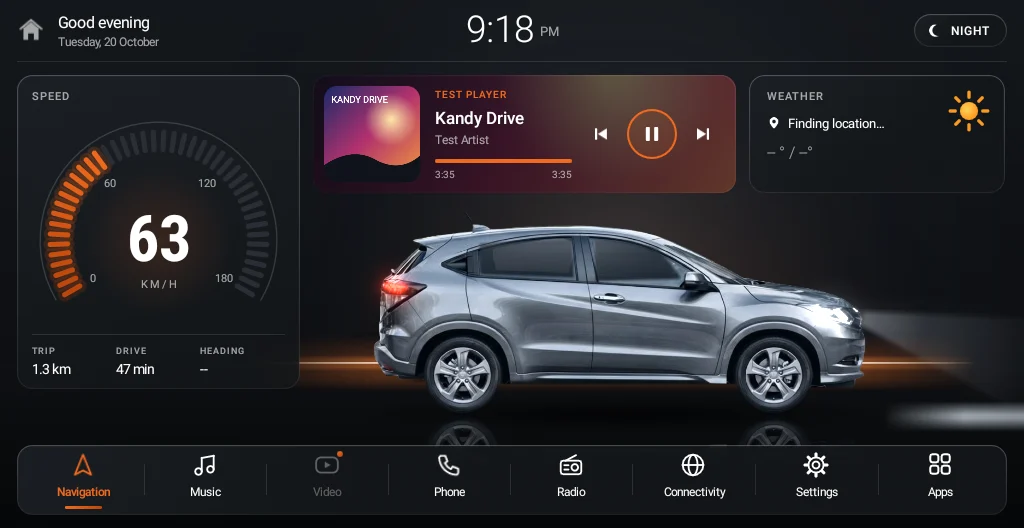
Drive Launcher replaces the plain home screen on your Android car player with one made for your car — your model and colour, with speed, music and the next turn at a glance.
Try it
Your car. On your screen. Try it here.
Pick your car and colour, then switch day and night, the headlights and the layout. This is how Drive Launcher looks on your car player.
Drawn the way the launcher draws it, with the real car pictures. Speed, music and weather are sample data.
Features
Built for driving, not for tinkering
Everything you need is one glance away, and nothing you don't need is in the way.
Lights on with your headlights
Switch on your headlights and the car on screen lights up too — glowing lamps and a real low beam on the floor. The whole screen goes dark and glare-free at night.
Speed, trip & speed alert
Clear GPS speedometer with trip distance, drive time and heading. Set a limit and get a gentle chime above it.
Music picks up where you left off
Start the car and your last song keeps playing — album art, track and artist right on the home screen.
Next turn from Google Maps
While Google Maps or Waze guides you, the next turn and distance show on the home screen.
Light on 2 GB car players
Small download, low memory, smooth animation — made for the car players most people actually have.
Weather at a glance
Current conditions for where you are, right on the home screen whenever the car player has internet.
Your car, your colour
Honda Vezel, Suzuki WagonR, Micro Panda, Micro Panda Cross, Suzuki Spacia or Toyota Prius — 42 colours in all. Choose when you buy — change it any time in the launcher, or use a photo of your own car.
New · Dashboard layout
Two layouts. Pick your favourite.
Keep the big car in the middle, or switch to the Dashboard — the next turn, your music, speed and trip side by side, like a factory-fitted screen. Change it any time in Settings → Layout.
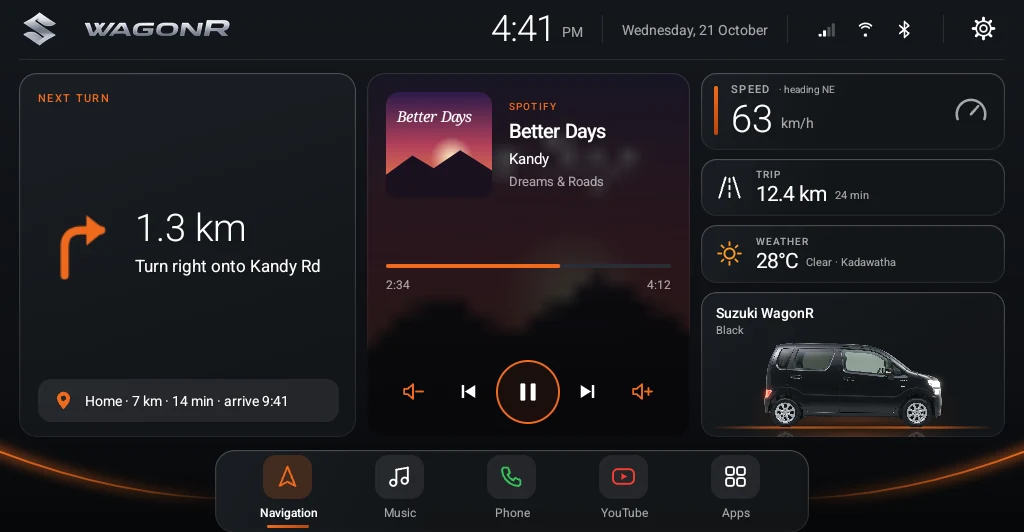
- Next turn, big and clearThe turn sign, distance and street from Google Maps or Waze.
- Home & Work in one tapPlus nearby fuel and parking when you're not navigating.
- Music at your fingertipsAlbum art, progress, volume and track controls.
- Speed, trip & weatherAnd your car in its colour, lighting up with your headlights.
Day & night
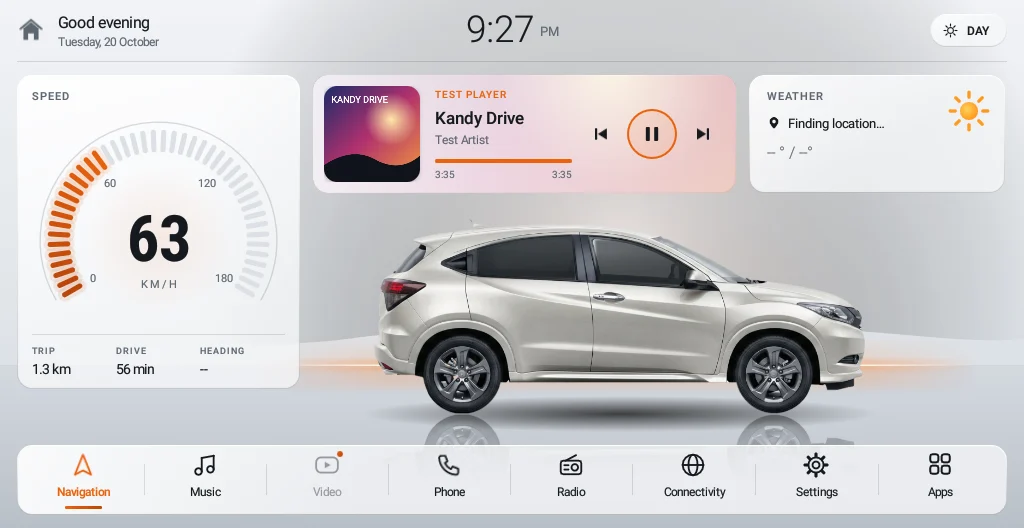
Two looks. Switches by itself.
A bright studio look by day, a dark glare-free look by night — at sunset or with your headlights. Drag to compare.
 DAYNIGHT
Setup
Up and running in three steps
- 1
Buy your licence
Choose your car colour and pay securely by card through PayHere.
- 2
Install the app
Download Drive Launcher to your car player and set it as the home screen. Guide →
- 3
Enter your key
Type the key we email you. It activates in seconds and stays on that car player.
One price. Yours to keep.
Drive Launcher licence
One-time payment · one car player · no subscription
- All features, day & night looks
- Honda Vezel, Suzuki WagonR, Micro Panda, Micro Panda Cross, Suzuki Spacia & Toyota Prius, every colour
- Full refund within 7 days if it doesn't work on your car player
- We move your licence if you change car player
- Key on screen and by email right after payment
🔒 Secure card payment by PayHere
FAQ
Questions
Will it work on my car player?
If your car player runs Android 5 or newer and lets you install apps, yes. Most Android head units sold in Sri Lanka do. If it doesn't work on yours, we refund you in full within 7 days.
Can I use one licence on two cars?
One licence activates one car player. If you replace your car player, contact us and we'll move the licence to the new one.
Do I need internet in the car?
Only once, to activate. After that it works offline. Weather updates when the car player has internet (for example through your phone's hotspot).
Can I go back to my old home screen?
Yes, any time, from the launcher's settings or Android's "default home app" setting.
How do I get my licence key?
Straight after payment it's shown on screen and emailed to you.